# A Text-to-Speech Mini Player in iOS 26's Bottom Accessory
Table of Contents
Readeck reads your saved articles out loud. I built it for dog walks, where reading is out and podcasts were the only fallback. iOS 26 then gave the player the one thing it was missing: a proper home in the tab bar.
This is a companion to the search tab post and the minimizing tab bar, so it stays about the player.
The engine is the small partLink to heading
The speech itself is plain AVSpeechSynthesizer, no cloud, no model.
I strip the article’s HTML, put the title on top and hand over one utterance.
let utterance = AVSpeechUtterance(string: textToSpeak)utterance.voice = voiceManager.getVoice(for: language)utterance.rate = ratesynthesizer.speak(utterance)Progress comes from willSpeakRangeOfSpeechString, so the bar is character-based and the time left is an estimate.
That is honest enough for a thin bar.
What makes it usable with the phone in your pocket is the plumbing around it.
A .playback audio session in .spokenAudio mode keeps it running with a locked screen, and .duckOthers lowers your music instead of killing it.
MPRemoteCommandCenter wires up the lock screen and AirPods, so a squeeze on your headphones just works.
Docking it into the tab barLink to heading
iOS 26 has the right spot for a mini player: the accessory that floats above the tab bar.
.tabViewBottomAccessory(isEnabled: appSettings.enableTTS && speechPlayerViewModel.hasItems && !isPlayerDismissed) { MiniPlayerView(viewModel: speechPlayerViewModel, onTap: { isPlayerSheetPresented = true }, onClose: { ... })}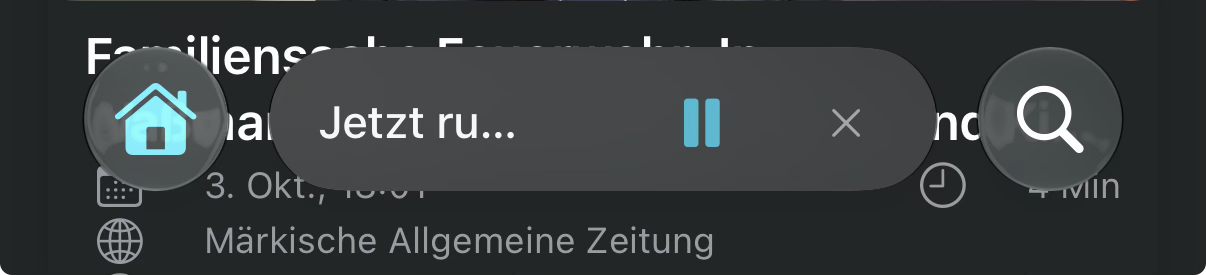
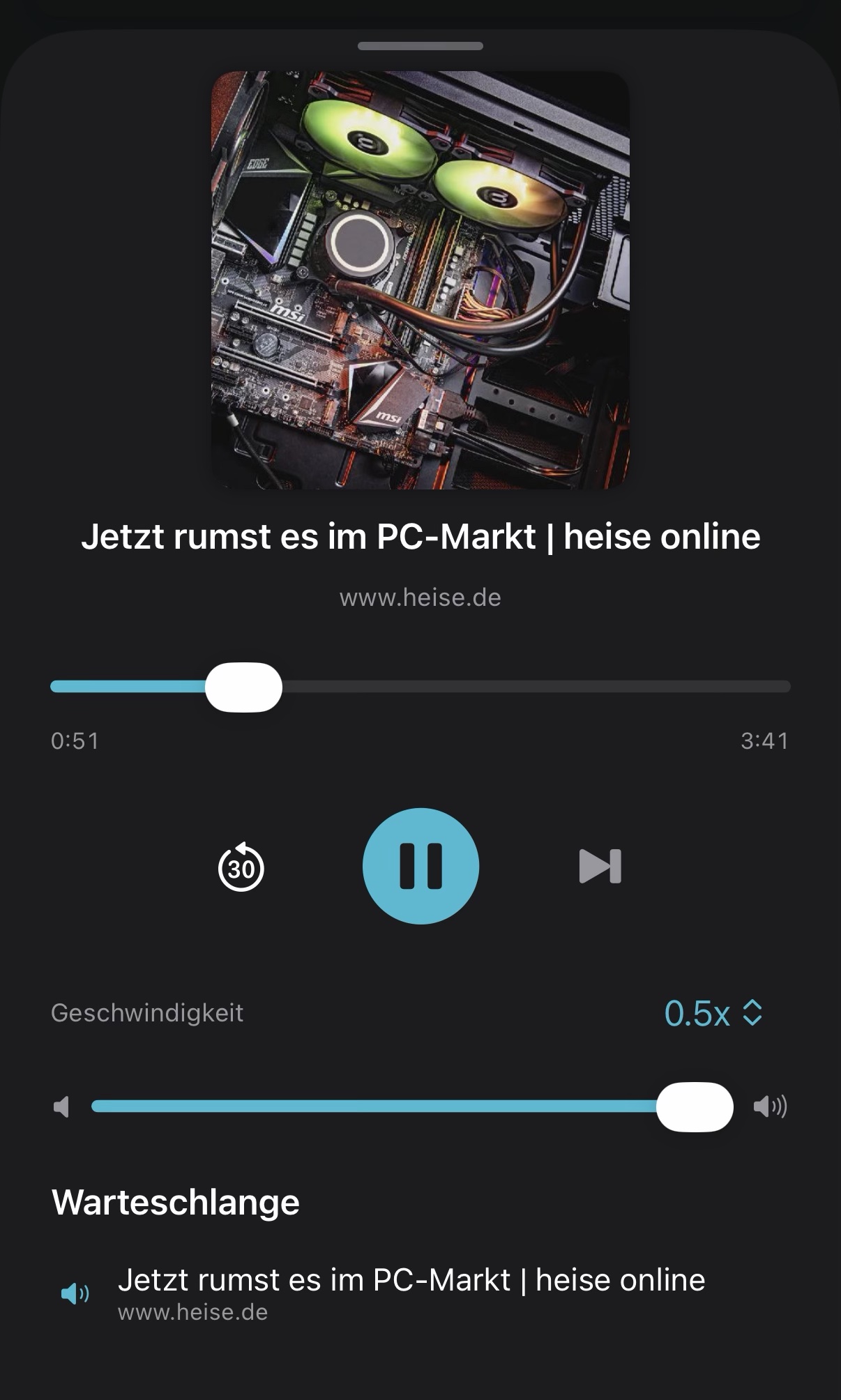
The mini player is small on purpose: a 2pt progress bar, the title, a queue count and play/pause. Tapping the title opens a sheet with the seek bar, speed and the queue.
Why isEnabled mattersLink to heading
My first version used the plain .tabViewBottomAccessory { } and put an if inside the closure.
With nothing playing, the accessory was still there, just empty.
The fix is the isEnabled: overload, which removes the accessory entirely.
It only exists from iOS 26.1, so that branch sits behind if #available(iOS 26.1, *).
Below that, a small container view lays the same MiniPlayerView over the content by hand.
The player never needed iOS 26, only its spot in the tab bar does.
The close buttonLink to heading
The mini player has an X, and my first instinct was to just hide the accessory. Bad idea: the voice keeps reading while the player is gone, and nothing is left to stop it. So closing stops playback first and hides the player second.
onClose: { speechPlayerViewModel.stop() isPlayerDismissed = true}Adding an article to the queue brings the player back.
The limitsLink to heading
A few things shaped this feature more than the code did.
- It has to be optional. Most Readeck users will never want it, so
enableTTSis off by default. That flag lives in the app settings, and every place with a play button has to check it: the reader, the lists, the tab bar, the iPad sidebar. I tried to keep that spread thin, but there was no way around it. - The language is automatic. The article’s language is passed along, and the matching voice is picked from it.
- The voice is the annoying part. The good ones are a manual download in the iOS settings, which most people will never find, and Apple does not ship its own Siri voice for this.
A cloud voice would sound better, but who pays for that? Apps that do it exist already, and I did not want to turn Readeck into one. I still wanted the feature in the app, though. Funnily enough, I use it far less than I expected, because I am not happy with the voice.
The takeawayLink to heading
The synthesizer is a handful of lines. The audio session, the lock screen and a player that leaves when it has nothing to say make it pleasant to use. Whether you keep using it comes down to the voice, and that part is Apple’s.